The snagging app that produces the report for you
Walk the property, photograph every snag as you find it, and leave with a branded snagging report already written. SiteAudit works room by room, fully offline, on any phone or tablet.
- Room-by-room lists
- Photo on every snag
- Works offline
- PDF snagging report
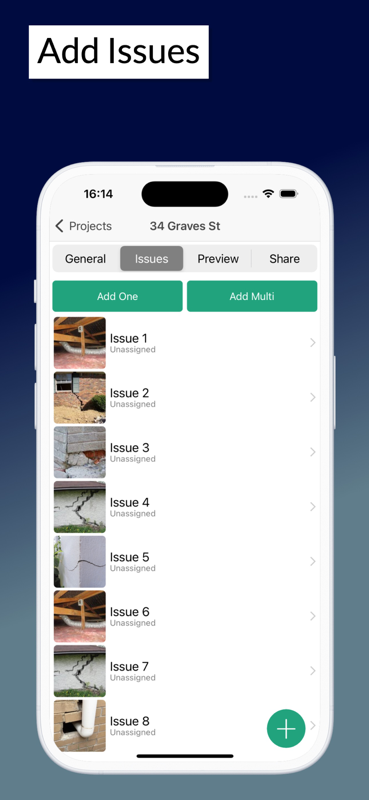
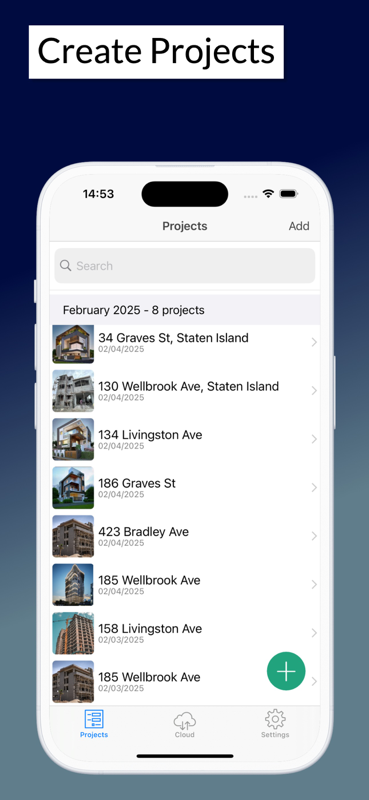
From walk-round to snagging report in one pass
The report is the deliverable. Everything here exists so it writes itself while you walk.
Organised by room
Snags sit under the room they belong to, so the report reads the way the property is walked and the trade can find the work.
Photograph as you go
Attach a photo to each snag on the spot. No reconciling camera roll images against a numbered list afterwards.
Branded snagging report
Export a professional PDF with photos and digital signatures — ready to send to the developer, client or buyer before you leave.
Works in an empty property
New builds rarely have working WiFi and often have poor signal. Everything runs offline and syncs later.
Reusable snagging lists
Run the same room-by-room checklist on the next plot or the next unit rather than starting from a blank page.
Signed off on site
Capture a digital signature against the list so the inspection is agreed while everyone is still in the building.
How a snagging inspection runs
- 1
Create the property and its rooms
- 2
Walk room by room, photographing each snag
- 3
Assign snags to the trade or developer
- 4
Export the signed snagging report as a PDF
Start on paper if you prefer
Every template is a free Excel workbook and a print-ready PDF. No email required.
Snag List Template
Room-by-room snagging schedule for new builds and handovers, with responsibility and sign-off.
Snagging Report Template
Formal snagging report for issue to a developer, with severity, summary counts and sign-off.
Snagging guides
Practical guides from the SiteAudit team.
Snagging apps — common questions
- What is a snagging app?
- It replaces the clipboard and camera on a snagging inspection. You record each snag against the room it is in, attach a photo, and export a finished snagging report as a PDF when you are done.
- Is it free?
- Yes, SiteAudit is free to start on phone, tablet and web. Paid team plans start at $25/month and add extra members, custom templates and advanced reporting.
- Can I use it to snag my own new build home?
- Yes. Homeowners use it to walk their property room by room before handover, photograph each snag and send the developer a proper report rather than a list of texts.
- Does it work with no WiFi in an empty property?
- Yes. Everything works fully offline, which matters on new builds where WiFi does not exist yet and signal is often poor. It syncs once you are back on connection.
- What is the difference between snagging and a punch list?
- Nothing but the vocabulary — snagging is the UK and Ireland term, punch list is North American. SiteAudit handles both and you can rename the terminology per project.
- Can I get the snagging report as a PDF?
- Yes. The app generates a branded PDF with every photo and digital signatures, ready to send from your phone before you leave the property.
Also see: Punch list app · Site inspection app · Free snagging templates
Snag your next property in one walk
Free to start on iPhone, iPad and Android. Room-by-room lists, a photo on every snag and a branded report exported before you leave.


Site Audit is a free construction site audit app for contractors — download the app or see pricing.