Run every site inspection from your phone
Quality, safety and progress inspections against your own checklists, with photo evidence on every line and a signed PDF report exported before you leave. Works fully offline on phone and tablet.
- Your own checklists
- Photo evidence
- Works offline
- Signed PDF reports
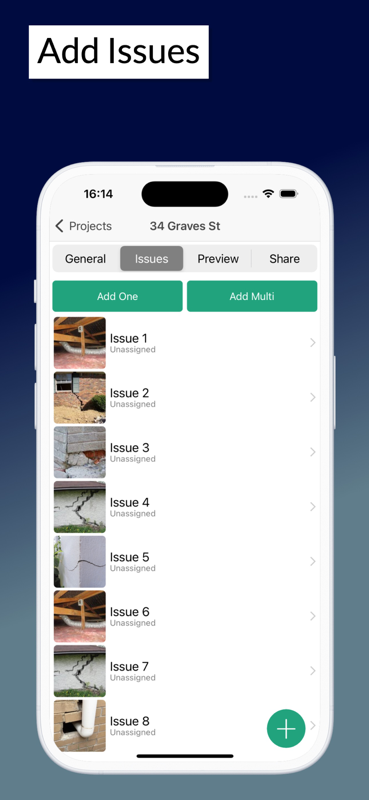
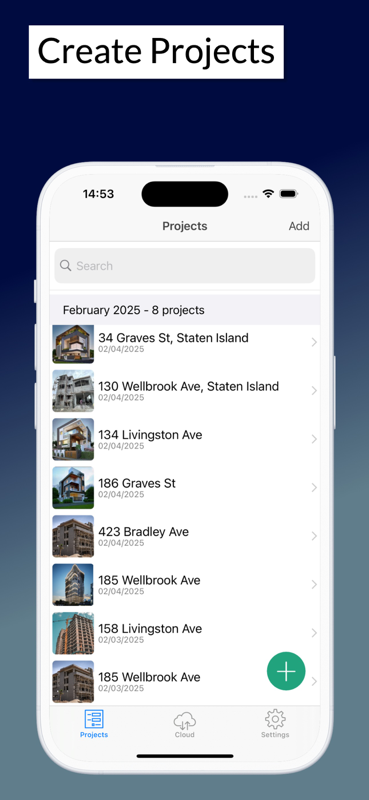
One app for quality, safety and progress
An inspection is only worth the record it leaves behind. This is built around producing that record on site.
Checklists you control
Build your own inspection checklists or start from ready-made ones, then reuse them on every visit so results stay comparable.
Evidence on every line
Attach photos to any item, pass or fail. An inspection with evidence is defensible; one without it is an opinion.
Safety registers included
Scaffold, plant and excavation checks run the same way, with the record you need to produce if anyone asks for it.
Works anywhere on site
Run inspections in basements, plant rooms and remote sites with no connection. Everything syncs when you are back on signal.
Reports signed on site
Export a branded PDF with photos and digital signatures and share it before you leave, while the detail is still fresh.
Track issues to close
Anything that fails becomes a tracked item with an owner and a due date, rather than a note in a report nobody revisits.
How an inspection runs
- 1
Pick the checklist for this inspection
- 2
Walk the works, marking each line with photos
- 3
Raise failed items to the responsible trade
- 4
Export the signed inspection report
Start on paper if you prefer
Every template is a free Excel workbook and a print-ready PDF. No email required.
Site Inspection Checklist
General site walk-round covering setup, welfare, work at height, plant, electrical, fire and housekeeping.
Quality Inspection Checklist
Trade-by-trade quality checks with hold points, tolerances and sign-off.
Inspection guides
Practical guides from the SiteAudit team.
Site inspection apps — common questions
- What does a site inspection app do?
- It replaces the paper checklist and camera on an inspection. You work through your checklist on a phone or tablet, attach photo evidence to each line, and export a signed report when you finish.
- Can I use my own inspection checklists?
- Yes. Build your own checklists or start from the ready-made site, quality and safety ones, then reuse them on every visit so results can be compared between inspections.
- Does it cover safety inspections as well as quality?
- Yes. Scaffold registers, plant and equipment checks, excavation safety and general site safety inspections all run the same way, with the same photo evidence and signed record.
- Does it work offline?
- Yes, fully. Inspections run with no connection at all and sync automatically once you are back on signal — which matters in basements, plant rooms and on remote sites.
- What happens to items that fail an inspection?
- A failed line becomes a tracked item with an owner, a priority and a due date, so it is followed through to close rather than sitting in a report nobody revisits.
- Is it free?
- Yes, free to start on phone, tablet and web. Paid team plans start at $25/month and add extra members, custom templates and advanced reporting.
Also see: Snagging app · Punch list app · Free inspection checklists
Run your next inspection from your phone
Free to start on iPhone, iPad and Android. Your own checklists, photo evidence on every line and a signed report exported from site.


Site Audit is a free construction site audit app for contractors — download the app or see pricing.