The punch list app built for site, not for the office
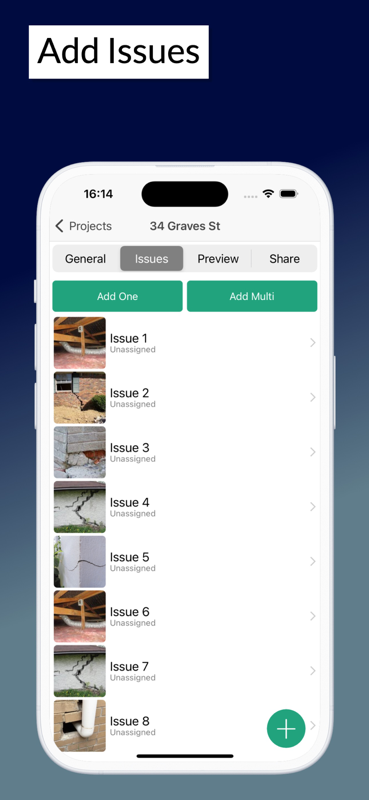
Most punch lists die in a spreadsheet nobody opens. SiteAudit keeps yours where the work is: every item photographed, owned by a trade, dated, and closed out with a signed report you can issue the same day.
- Photo on every item
- Works offline
- Assign to trades
- Signed PDF reports
A punch list that actually gets worked
The difference between a list that closes and one that drags is whether the trade can tell exactly what and where the item is.
Evidence, not descriptions
A photo attached to the item removes the argument about what was meant. Nobody walks back to the unit to find out what "poor finish, bedroom 3" refers to.
One owner per item
Every item carries a trade, a priority and a due date. Unowned items are the ones that survive to the next walk-round.
Built to work with no signal
Log and close items anywhere on site. Sync happens on its own when you get connection back — there is no export or import step.
Reports issued from site
Branded PDF with photos and digital signatures, generated and shared before you get back to the van.
Reusable templates
Run the same list again on the next unit, the next floor or the next job instead of rebuilding it each time.
See what is still open
Track open items by trade, by location and by age, so the close-out meeting is about facts rather than recollection.
From walk-round to close-out
- 1
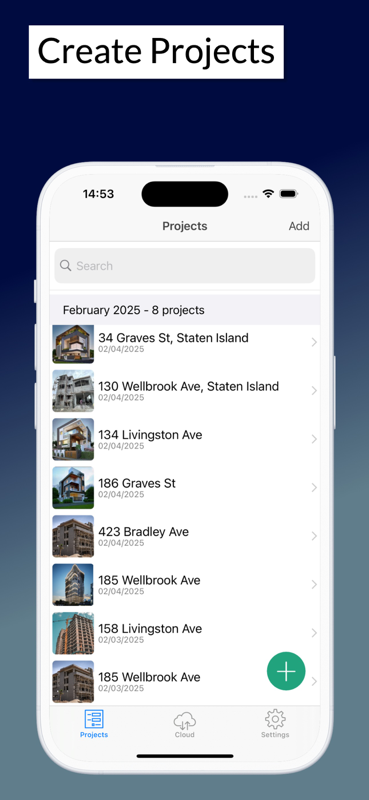
Start a project and pick or build your list
- 2
Walk the works and log each item with a photo
- 3
Assign to the trade with a priority and due date
- 4
Verify, close and issue the signed report
Start on paper if you prefer
Every template is a free Excel workbook and a print-ready PDF. No email required.
Punch List Template
Track every outstanding item to close-out, with trade, owner, due date and sign-off.
Snag List Template
Room-by-room snagging schedule for new builds and handovers, with responsibility and sign-off.
Punch list guides
Practical guides from the SiteAudit team.
Punch list apps — common questions
- What is a punch list app?
- It replaces the spreadsheet or notepad you would normally carry round a walk-round. You log each outstanding item on your phone with a photo, assign it to the trade responsible, and track it until it is verified and closed.
- Is SiteAudit free?
- Yes, it is free to start on phone, tablet and web. Paid team plans start at $25/month and add extra members, custom templates and advanced reporting.
- What is the difference between a punch list and a snag list?
- They are the same document under two names — punch list is the North American term, snag list is used in the UK and Ireland. SiteAudit handles both and lets you rename the terminology to match the project.
- Can I use it offline?
- Yes. Everything works with no connection — creating items, capturing photos, closing items out. It syncs automatically when you are back on signal.
- Can subcontractors see their own items?
- Yes. Items are assigned to a trade with a due date, so each subcontractor can work from their own list rather than scanning the whole schedule for their lines.
- Can I export to Excel or PDF?
- You can generate a branded PDF with photos and signatures from the app. Free Excel and PDF punch list templates are also available if you want to start on paper.
Also see: Punch list app for iPhone · Punch list app for Android · Free punch list templates
Close out your next job faster
Free to start on iPhone, iPad and Android. Every item photographed, owned and dated — and a signed report issued before you leave site.


Site Audit is a free construction site audit app for contractors — download the app or see pricing.