The free punch list app for Android
Walk the site, log every item with a photo, assign it to a trade and export a signed PDF report before you leave. SiteAudit works fully offline on any Android phone or tablet.
- Works offline
- Free to start
- Photo evidence
- Signed PDF reports
Everything a punch list needs, on your Android
Designed for people walking a job with a phone in one hand — not filling in a spreadsheet afterwards.
Works with no signal
Basements, plant rooms, rural sites. Create punch lists, add photos and log issues offline — everything syncs when you get signal back.
Photos straight from the camera
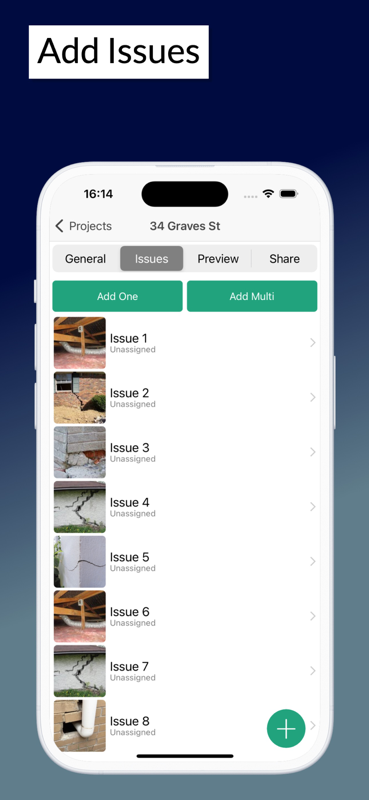
Attach photo evidence to any item as you walk. No exporting from the gallery, no matching filenames up later.
Signed PDF reports on site
Generate a branded report with photos and digital signatures, then share it by email or cloud before you leave.
Assign items to trades
Give every item an owner, a priority and a due date, then track it through to close-out.
Reusable templates
Punch lists, snagging schedules and inspection checklists you can run again on the next unit or the next job.
Phone and tablet
The same app on an Android phone in your pocket and a tablet for walking the floor, with a web dashboard back at the office.
From walk-round to shared report
- 1
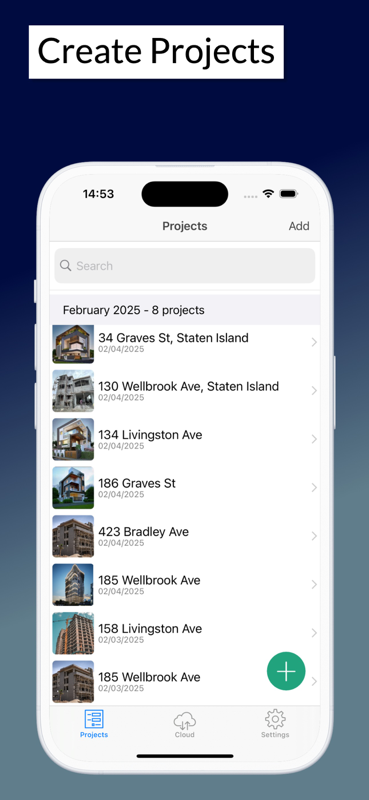
Install from Google Play and start a project
- 2
Walk the site and log each item with a photo
- 3
Assign items to the responsible trade with a due date
- 4
Export a signed PDF and share it before you leave
Not ready for an app yet?
Take a printed punch list round the site today. Every template is a free Excel workbook and print-ready PDF — no email required.
Punch lists on Android — common questions
- Is the punch list app free on Android?
- Yes — you can install SiteAudit from Google Play and start creating punch lists for free. Paid team plans add extra members, custom templates and advanced reporting.
- Does it work without an internet connection?
- Yes. SiteAudit works fully offline. You can create punch lists, capture photos and log issues anywhere, and everything syncs automatically once you are back online.
- Can I use it on an Android tablet as well as a phone?
- Yes. The same app runs on Android phones and tablets, and there is a companion web dashboard for managing audits and your team from a desktop.
- Can my team use iPhones while I use Android?
- Yes. SiteAudit runs on Android, iPhone and iPad, and audits sync across all of them, so a mixed-device team shares the same punch list.
- Can I export the punch list as a PDF or spreadsheet?
- You can generate a branded PDF report with photos and digital signatures directly from the app. If you would rather work in a spreadsheet, the same punch list is available as a free Excel template.
- What is the difference between a punch list and a snag list?
- They are the same thing under different names — punch list is the North American term and snag list is used in the UK and Ireland. SiteAudit handles both, and you can rename the terminology to match your project.
Using an iPhone or iPad instead? Get SiteAudit on the App Store or see the download page.
Start your first punch list today
Free to start on Android, iPhone and iPad. Works offline, exports signed PDF reports and keeps every photo attached to the item it belongs to.


Site Audit is a free construction site audit app for contractors — download the app or see pricing.